
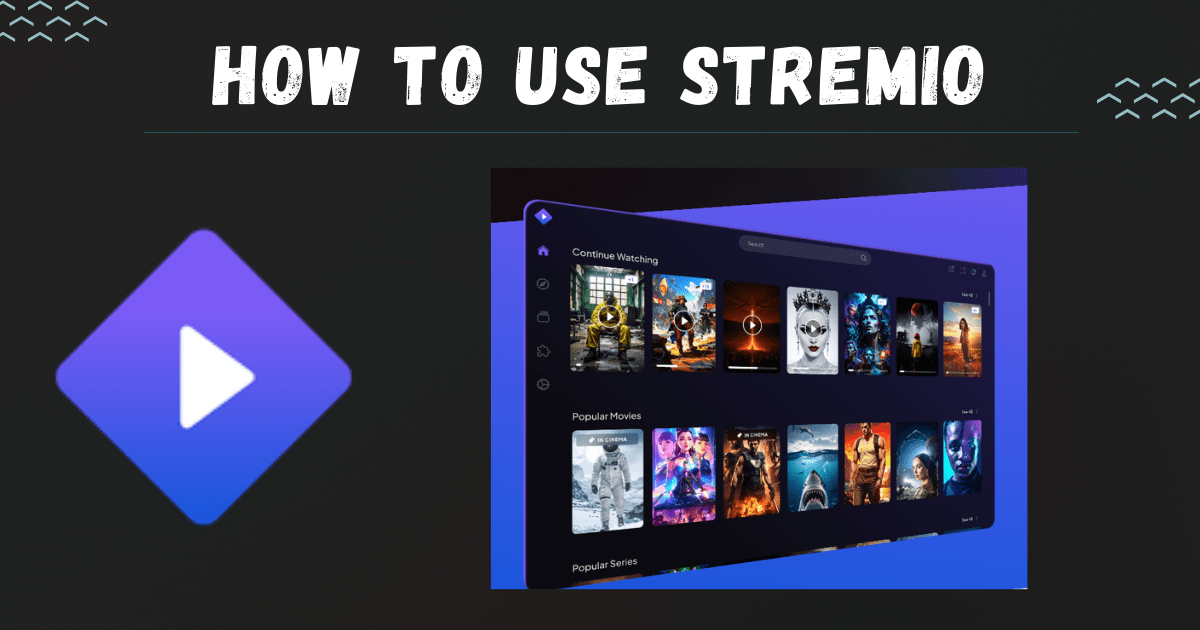
What is Stremio?
Stremio is an all-in-one media aggregator app that organizes movies, TV shows, live channels, and web content into a single, easy-to-use platform. With the help of official and community add-ons, users can access streaming sources, track their favorite series, and build a personal library.
Unlike traditional IPTV apps, Stremio focuses on aggregating content rather than directly hosting it, making it a flexible choice for viewers who want everything in one place.
Features of Stremio
| Feature | Details |
|---|---|
| Channel Library | Access live TV channels via add-ons that provide streams. The library is customizable depending on the add-ons installed. |
| VOD Content | Watch movies and series on-demand through official or community add-ons. |
| Streaming Quality | Supports HD streaming. The quality depends on the source add-on and user’s internet speed. |
| Stability & Uptime | Generally stable. Occasional buffering issues may occur if the add-on source is weak. |
| Device Compatibility | Available on Windows, macOS, Linux, Android, iOS (Lite version), and Android TV/Firestick. |
| EPG (Electronic Program Guide) | Some live TV add-ons support EPG, allowing users to browse schedules. |
| Customer Support | Community forums, FAQs, and email support. Response time can vary. |
| Pricing & Plans | The base app is free. Some premium add-ons or third-party services may require payment. |
| Security & Legality | The official Stremio app is safe and legal. However, legality depends on the type of add-ons you use. |
| Extra Features | Library syncing, watchlist tracking, notifications for new episodes, subtitle support, and add-on marketplace. |
Pros and Cons
| Pros | Cons |
|---|---|
| Free to download and use | Relies heavily on add-ons for content |
| Multi-device support | Some add-ons may stop working without notice |
| User-friendly interface | Occasional buffering issues |
| Library tracking and notifications | Limited iOS features compared to desktop |
| Strong add-on ecosystem | Community support can be slow at times |

User Reviews (Trustpilot Snapshot)
Positive Feedback
- “Fantastic platform, easy to use with great add-ons.”
- “Works smoothly across devices and keeps my library synced.”
- “Clean design, perfect for tracking shows and movies.”
Negative Feedback
- “Many add-ons don’t work properly or disappear over time.”
- “Buffering issues when streaming certain content.”
- “Customer support isn’t very responsive.”
User Snapshot:
Most users appreciate the simplicity and organization of Stremio but highlight that the experience depends on add-ons’ reliability.
Pricing
Stremio does not charge subscription fees for the base app. All essential features, including library tracking and add-on installation, are free. Some third-party add-ons or premium integrations (like Real-Debrid or paid streaming services) may require their own fees.
| Plan | Price | Notes |
|---|---|---|
| Stremio Base App | Free | Includes core features and add-on access |
| Premium Add-ons (optional) | Varies | Some paid add-ons or integrations charge separately |
Comparison with Other Platforms
| Platform | Strengths | Weaknesses |
|---|---|---|
| Stremio | Add-on marketplace, free, library syncing | Add-on reliability issues |
| Kodi | Highly customizable, large community | Complex setup, steeper learning curve |
| Plex | Personal media server, official channels | Many features behind a paywall |
| Emby | Family-friendly, parental controls | Some premium features require payment |
| Jellyfin | 100% free and open-source | Fewer add-ons compared to others |
how to install stremio on firestick

Installing Stremio on Firestick is quick and simple with the Downloader app. It lets you stream movies, TV shows, and live channels directly on your Fire TV. Just follow these steps:
1. From the Firestick home screen go to Find → Search and install the Downloader app.
2. Open Settings → My Fire TV → Developer Options.
3. Enable Install Unknown Apps → ON for Downloader.
4. Launch Downloader and type in stremio.com.
5. Visit the Downloads section and choose the Android TV (ARM) APK.
6. Let the APK file download completely.
7. Select Install when prompted.
8. After installation, click Done and delete the APK to save space.
9. Find Stremio in Your Apps & Channels, open it, and sign in or create an account.
10. Go to the Add-ons section, install official add-ons, and start streaming.
Verdict—Who Should Use Stremio?
Stremio is perfect for:
- Users who want a free, centralized media hub
- Viewers who enjoy experimenting with different add-ons
- People who track and manage multiple shows and movies
It may not be ideal for those who:
- Expect guaranteed stability like Netflix or Disney+
- Need dedicated customer support
- Prefer completely legal, official streaming sources only
Final Verdict: Stremio is a powerful and flexible streaming organizer for users who value customization and variety — but you’ll need to carefully choose your add-ons.
FAQs
1. What is Stremio?
Stremio is a media aggregator app that organizes and streams content through add-ons.
2. Is Stremio safe?
Yes, the official app is safe. Add-ons’ safety depends on their source.
3. How to use Stremio?
Install the app, log in, add community or official add-ons, and start streaming.
4. Is Stremio legal?
The app itself is legal. Legality depends on the content source add-ons you use.
5. How to install Torrentio on Stremio?
Go to Add-ons → Community → Search for Torrentio → Install.
6. How does Stremio work?
It fetches metadata and streams content via official/community add-ons.
7. Is Stremio down?
Check forums or the official website for server updates.
8. How to install Stremio on Firestick?
Download the APK via Downloader app on Firestick and install it manually.